Prepare a Listening Copy for Language Practice
A useful language-practice recording needs a voice you can understand, a manageable passage and a clear reason to listen again. It does not need an impressive filename or an assumed maximum bitrate. If you use Y2Mate to prepare an available audio copy, start with a recording you own or are allowed to save and verify the spoken track before choosing an output.
Your own practice dialogue is a good example. You may want to hear how a sentence flows, compare pronunciation across attempts or revisit a short conversation during the week. A clearly organized listening copy can support that work without being mistaken for a transcript, translation or automatically corrected version of your speech.
Listen to the actual voice track first
A translated title does not tell you which language is spoken in the recording. Captions can also differ from the audio. Before saving a copy, play a representative passage and confirm the voice you expect to practice with. If the source offers several presentation choices, inspect the actual result rather than assuming the downloaded audio will match a label elsewhere on the page.
Choose a passage with ordinary speech, not only background music or an introduction. Listen for overlapping voices, strong echo or noise that masks important consonants. A converter cannot make missing pronunciation detail reappear simply by changing the output's name or format.
For your own recordings, retain the original separately. The listening copy is useful for review, but the original may be needed when comparing a later practice attempt or editing a project.
Match the recording to a specific study task
“Practice listening” is a broad goal. A more useful task might be identifying the main idea of a short dialogue, repeating three difficult sentences or noticing where a speaker pauses. The file should make that task possible without constant searching for the relevant section.
Manageable length is an editorial choice, not a technical promise that a downloader can split every recording automatically. If you need an excerpt of your own material, use a suitable editing workflow and keep the untouched source. Do not assume that a timestamp in a link or a chosen player position creates a clipped export.
The speech-focused audio article explains why intelligibility and a representative listening check are more useful than treating one bitrate as the answer to every spoken recording.
Prepare and verify the available copy
Use the Ytmp3 audio page to find the intended source and inspect the output choices actually available. Select an appropriate audio option, then allow the browser transfer to finish. The presence of a result on the webpage does not establish that the file is already stored on your device.
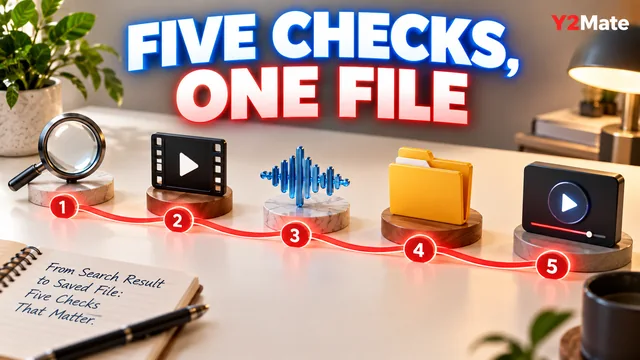
- Confirm the source and your permission to save it.
- Listen to the spoken language and a difficult sentence.
- Choose an available audio output for the task.
- Find the completed file in storage.
- Open it in your intended player.
- Check the difficult sentence and the ending again.
If the saved copy contains a different recording or voice from the one you expected, return to the source selection. Repeating the same conversion without identifying that mismatch may produce another copy of the same unexpected result.
Use playback speed deliberately
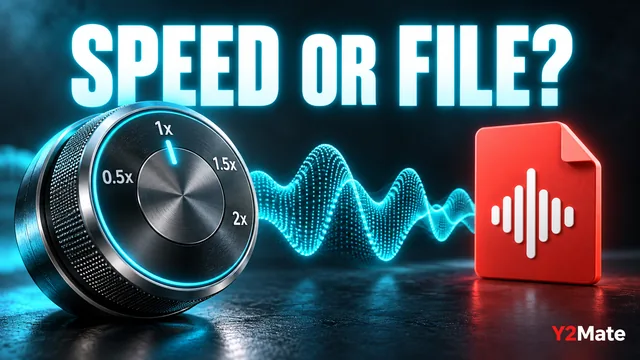
A player's speed control can help you examine a phrase, but it changes the listening session rather than necessarily rewriting the stored file. Begin at normal speed so that you hear the natural rhythm. If your player supports a slower setting, use it for a difficult section and return to normal speed afterward.
Do not assume that a faster or slower setting in the source player will automatically be embedded in an MP3 download. The article about playback speed and saved files explains the difference between a playback multiplier and a deliberately edited export.
Pitch handling can vary between players, so listen critically when changing speed. The purpose is to help you study the original speech, not to treat an altered playback as a perfect model of natural delivery.
Build a short repeatable practice session
For your own dialogue, try three passes. First, listen for the overall meaning without stopping. Second, replay a short section and note the phrases that need work. Third, listen again at normal speed and compare your understanding with the first pass. These are suggested study steps, not a guarantee of a particular learning outcome.
Keep any written notes separate and label them clearly. An MP3 does not automatically contain a transcript, and a video with captions does not mean those captions become spoken audio. If reading is essential to the exercise, keep an authorized text reference alongside the listening copy.
Finally, use a name that identifies the dialogue and purpose. A small set of recognizable, verified recordings is easier to practice with than many similar files of uncertain origin. The value comes from selecting the right speech and using it thoughtfully, not from downloading the greatest number of copies.