Plan a Small Download When Your Device Storage Is Nearly Full
When a phone or laptop has little free space, downloading several versions of the same recording makes the decision harder. Begin with what you actually need from the source. If you use Y2Mate to select an available copy of material you are permitted to save, a storage-aware plan can help you keep one useful file instead of a collection of speculative formats.
The first step is to inspect available space through your device's ordinary storage controls. Do not begin by deleting personal recordings, photos or project files whose value you have not considered. A new listening copy is rarely a reason to risk the only original of something important.
Decide whether you need the picture
A spoken interview may serve your purpose as audio, while a software demonstration may depend on visible menus. Choosing the right kind of content can matter more than chasing a particular size label. MP3 is audio-only; an MP4 can carry video and audio, depending on the file. Removing the picture is useful only when it does not remove information you need.
For a lecture you have already watched, an authorized audio copy may work as a review aid. For a lesson built around charts, the video may remain essential. Check a representative passage before choosing. If the speaker repeatedly refers to something on screen, audio alone may not be the complete solution.
The tutorial readability article helps you judge whether a video copy preserves the details that justify its storage use.
Understand the size information you can actually see
Duration and encoding choices influence file size. For audio, bitrate is one relevant factor; for video, dimensions, motion, encoding and other settings can also affect the result. A format name alone does not provide an exact size, and two recordings of equal duration need not produce identical files.
If an available output shows a size estimate, use it as planning information rather than an absolute guarantee. The completed file and the device's storage accounting may not match a rough estimate exactly. Leave room for the device's normal work instead of planning to consume every remaining byte.
For illustration, if a device reports roughly 600 MB free and a listed output is estimated near 500 MB, that is a tight plan rather than a comfortable margin. These are hypothetical figures, not measured Y2Mate output sizes. The useful point is to compare the offered estimate with your actual free space before starting.
Choose one relevant output first
On the mobile audio and video page, confirm the source and review the choices actually available. Decide which one fits the task and storage, then test that copy. Do not assume that every source offers a small version or that a particular resolution will always be available.
For a thirty-minute spoken recording, listen to the source's quieter sections and decide whether speech is clear enough for your purpose. The speech-versus-music article explains why a listening decision should reflect the content rather than a universal bitrate rule.
Keep track of the browser transfer. Repeated clicks can create duplicate attempts and make limited space harder to manage. If a download fails, inspect the browser status and available storage before requesting it again.
Review duplicates without risking originals
Similar filenames can conceal very different files. One may be the original recording, another a listening preview and another an unfinished or incorrect copy. Before removing anything, establish what each item is and whether it is needed elsewhere.
- Separate originals from replaceable delivery copies.
- Open uncertain files to identify their contents where safe.
- Check whether an important copy exists in another known location.
- Do not treat every large file as unnecessary.
- Use your device's recoverable deletion method when appropriate.
These are organizational safeguards, not a request to delete files immediately. If you cannot confidently identify an item, leave it alone while you find another way to accommodate the new recording.
Verify the copy before deciding it is worth keeping
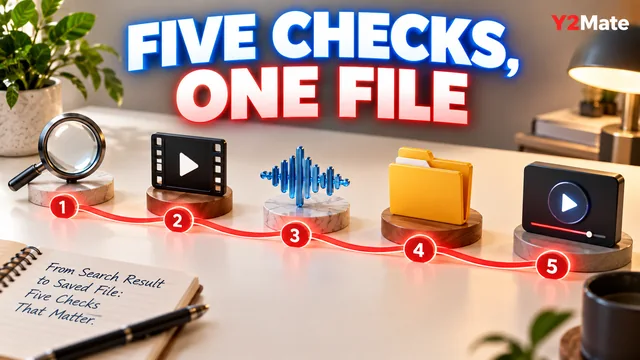
Once the browser completes the transfer, open the file through your intended player. Confirm the source, a meaningful middle passage and the ending. For video, check both picture and sound. A smaller file is not a success if it omits the information you need or does not play in the environment you intend to use.
Give the verified copy a recognizable name. If it replaces an earlier delivery version, compare them carefully before deciding what to retain. Do not erase the original project merely because the new listening file is more convenient.
Keep the plan proportional
A nearly full device does not always need a complicated media-management system. It may need one clear decision: audio or video, one available output, one completed transfer and one playback check. If no offered option fits the available space, pause rather than forcing a risky deletion or a repeated failed download.
Storage-aware downloading is about keeping the useful copy and protecting what matters. A deliberate choice saves more confusion than collecting formats first and trying to decide their purpose afterward.