
Downloading a Tutorial? Check Whether the Small Text Is Readable
A tutorial can look sharp in its opening scene and still be difficult to follow when a small menu label appears. If you are saving your own demonstration or another recording you are allowed to download through Y2Mate, check the detail that matters to the task. A resolution label is useful information, but it does not tell you whether a particular line of text will be readable on your intended screen.
For a software lesson, the important detail might be a command, a spreadsheet heading or a setting inside a dialog. For a craft demonstration, it could be a small measurement shown briefly. Choose a representative moment before deciding which available video copy to keep. That makes the decision about usefulness rather than about the largest number you can find.
Separate source detail from display size
The source recording sets an important limit. If a label was blurred, compressed heavily or too small to read when recorded, a later conversion cannot simply recreate its missing letters. Enlarging the image may make the blur larger without making the information more complete.
Display size is another factor. A tutorial that is comfortable to follow on a large monitor may be awkward on a phone even when the file is unchanged. The screen, the player size and how far you sit from it affect the practical reading task. This is why checking on the device you will use is more useful than judging a thumbnail.
Use an actual difficult frame as your reference. A clean title slide or a close-up of the presenter is not a substitute for the smallest menu that you need to understand.
Choose among real output options
Start on the YouTube to MP4 page with the intended source. Review the available video options rather than assuming a particular resolution is offered for every recording. An article about video quality cannot establish what a provider will make available for a specific link.
If you have more than one relevant choice, consider your device and storage needs alongside readability. The goal is an adequate, complete copy for the task, not a collection of every possible output. A larger file may be worthwhile when it preserves useful visible detail, but size alone does not prove that detail is present.
If the available choices do not let you read an essential label, return to the original lesson material or your own project source. Repeatedly converting an unreadable source is not a dependable way to recover the missing instruction.
Test the moments you will actually use
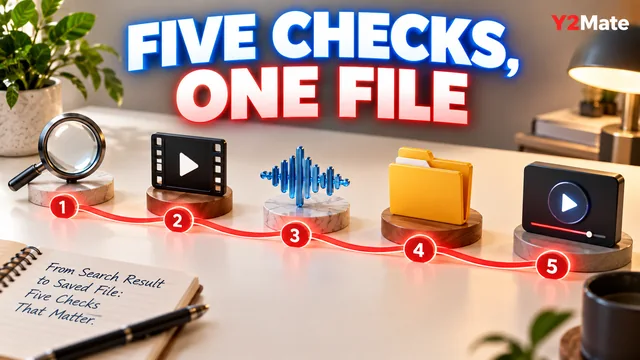
After the browser finishes the transfer, open the saved file in the player and on the screen intended for the lesson. Pause at the reference frame and read the smallest important text. Then resume playback to check whether you can follow the surrounding action without constantly guessing.
- Find a frame with an important small label.
- Check it at a realistic playback size.
- Compare the saved image with the source.
- Listen to the accompanying instruction.
- Check a second detailed section later in the recording.
- Confirm that the file reaches the expected ending.
Pausing can help you inspect a frame, but it does not repair a source that lacks the detail. If the lesson depends on a rapidly changing screen, also watch the passage in motion. A readable still frame is only one part of a useful tutorial copy.
Decide whether audio alone is enough
Sometimes the speaker explains every step clearly, and an audio copy is useful for revision after you have watched the demonstration. In other cases, the narration says “click this” or “change the value shown here.” Removing the picture would remove essential instructions.
The article about slides, diagrams and audio-only downloads provides a simple way to make that distinction. Do not assume that spoken narration includes all the text visible on screen. Captions, diagrams and menus are not automatically transformed into an audio explanation by choosing MP3.
You can keep a video for detailed study and use an authorized audio copy for review, but each version should have a defined purpose. Avoid creating extra copies merely because the formats are available.
Balance readability with storage
Before a long download, check the space available on your device. Duration, encoding and video characteristics affect file size, so an estimate should be treated as something to verify. Keep important existing recordings safe rather than deleting them impulsively to make room.
The storage-aware download plan helps you prioritize one useful copy. For a tutorial, usefulness means being able to follow the actual lesson: read the labels, hear the explanation and reach the end. A high-sounding format label cannot replace those checks.
Once a file passes, give it a recognizable name and keep the source context with your notes. The next time you need that procedure, you will know both where the recording is and whether its smallest important details are usable.