Slides, Diagrams or Conversation: What Should Your Download Keep?
Before choosing MP3 or MP4, ask what disappears when the screen is no longer visible. A conversation may remain understandable as audio. A diagram explanation might lose its central point. When you use Y2Mate to select an available copy of a recording you may save, that simple question connects the format choice to the job you want the file to do.
The same recording can support different purposes. You might watch a lesson closely once, then listen to its discussion later. That does not mean every audio copy is a complete replacement for the video. Decide whether you need a review aid, the full demonstration or a presentation-ready copy before you choose an output.
A conversation may work without the picture
Consider an interview in which the speakers describe their ideas fully. If the important meaning is carried by their voices, an audio copy can be convenient for listening away from the screen. Check a representative passage, not just the introduction, to make sure that the discussion does not depend on unseen objects or written examples.
Even a conversation can contain visual references. A speaker may say “this model” while holding something up, or compare two images without describing them. Listen for those moments before deciding that audio alone preserves everything you need.
For a listening-only purpose, the speech and music audio-choice article explains how to focus on intelligibility and the actual source rather than treating every MP3 as an identical decision.
A chart explanation often needs its visual context
Now imagine a presentation about a chart. The speaker refers to the red line, the left column and a marked turning point. The spoken words may be clear while the explanation remains incomplete without the image. In this case, keeping the video is about retaining information, not simply about preferring a larger file.
Check whether the chart is readable at the screen size you will use. A video copy that preserves the picture but makes small labels unreadable may still fail the task. The small-text video checklist is useful for slides, software demonstrations and other detail-heavy recordings.
If you own the presentation, the original slides or notes may provide a separate reference. Keep them with the project where appropriate. Do not assume a converter will extract those slides, create a transcript or describe a chart automatically.
A silent demonstration depends on the image
A recording can teach through movement without much narration. Examples include a hand position, a sequence of assembly steps or an on-screen editing action. Saving only the sound can remove the very thing you wanted to study, even if the resulting audio file is technically complete.
For these recordings, inspect the visual sequence from beginning to end. Check that the important movement is visible and that you can pause where necessary in your chosen player. If the source itself skips a step, a conversion cannot supply the missing demonstration.
Choose from the video options actually available for the supported source. Do not infer that every resolution, frame rate or format exists because another recording offered it.
Understand what the formats represent
MP3 is an audio format. It does not preserve a video's picture. MP4 is a container that can carry audiovisual content, although the actual streams and compatibility depend on how a particular file was made. Those definitions help you ask the right question, but they do not replace a playback test of the completed file.
The YouTube downloader page offers a format-neutral starting point: find the intended recording, confirm it and review the output choices shown. The decision should follow your need for audio, visuals or both rather than a blanket rule that one format is always better.
- Choose audio when the needed meaning is carried by the sound.
- Keep video when gestures, text or diagrams are essential.
- Check both when the recording moves between conversation and demonstration.
- Use only options actually offered for the source.
- Keep permission and intended use in view before saving or sharing.
Test the choice with a concrete task
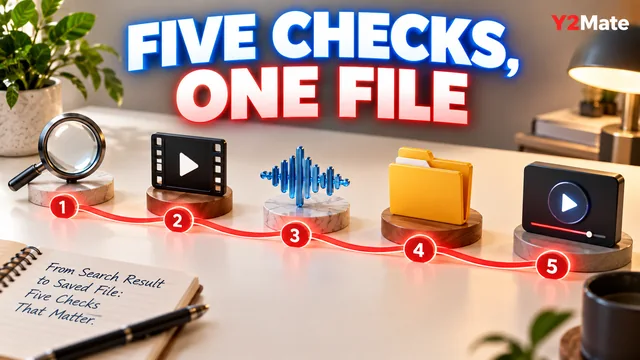
Instead of asking whether the file plays, ask whether you can complete the intended task with it. Can you summarize the interview accurately? Can you follow the chart explanation? Can you reproduce the demonstrated step without guessing what happened off screen?
Open the saved file from storage after the browser transfer finishes. Check an informative middle section and the ending, not only the first frame. A correctly named file that omits essential information is still the wrong copy for your purpose.
Keep the version that meets the need and name it accordingly. An audio review copy and a full video lesson can both be useful, but they serve different jobs. Making that distinction early saves storage, reduces repeated downloads and gives you a clearer reason for every file you keep.