Test One Local Media File Before You Rely on It Away from Home
A saved page and a playable local recording are not the same preparation for a journey. Before you depend on an interview, lesson or personal video away from a connection, test the exact file you plan to use. If you obtained an available authorized copy through Y2Mate, the final check belongs in your device's storage and chosen player, not just on the conversion page.
Start with one important recording rather than preparing a large collection and hoping everything works. A small test can expose a missing file, an incomplete transfer or a player mismatch while you still have time to investigate. It also helps you understand where the media is stored and how you will open it later.
Find the actual item in storage
Use the device's file manager or the browser's download controls to locate the completed media. Inspect the filename and type. If selecting the item merely returns you to a webpage, you may have saved a page or shortcut instead of the MP3 or MP4 you intended.
On iPhone, the file-versus-webpage checklist explains the distinction using Files and the browser's download information. On Android, the download-history article helps you identify an existing attempt before creating another one.
Keep the conclusion specific. Seeing a filename in a cloud-backed location does not automatically establish that all its contents are currently available on the device. Storage settings and synchronization behavior can differ, so check the particular copy rather than relying on the folder label.
Use the player you intend to use later
A preview in the browser may not behave exactly like your preferred local media player. Open the saved file in the application you expect to use during travel. If you will listen through headphones, include them in the test. This checks the real playback path instead of a substitute that happens to work at home.
For audio, listen to a recognizable opening, a middle passage and the ending. For video, inspect both picture and sound at those points. A successful opening does not establish that a long recording is complete, and a familiar thumbnail does not prove that it contains the intended version.
Check the reported duration as another clue. It is not the only measure of completeness, but an unexpectedly short duration is a reason to inspect the transfer and source before relying on the file.
Distinguish exported files from app-managed downloads
Some services provide offline playback inside their own applications. Those app-managed items are not necessarily ordinary MP3 or MP4 files that can be opened by any player. The service's own rules, account state and storage behavior may apply.
An exported media file has a different workflow: you locate the file and use a compatible player. Do not assume that an item labeled downloaded inside an app is interchangeable with a browser-exported file. Likewise, a browser download does not automatically become part of another app's managed library.
The YouTube downloader page is a starting point for supported, available output choices. It does not promise that the website itself can perform new searches or conversions without a connection, and this file-readiness check should not be confused with an offline website feature.
Make a controlled availability check
When practical and safe for your current activities, verify that the saved copy remains available without relying on an active network request. Do this through the chosen player and its actual local file, not through a browser bookmark. Avoid interrupting a call, another transfer or important connected work merely to test a recording.
If the player asks to retrieve the contents again, investigate the storage state while you still have a connection. The right response depends on the application and device; there is no universal menu that guarantees every cloud-backed item has become a local copy.
Keep important originals safe during this process. A playback check does not require deleting source recordings, reformatting storage or installing an unfamiliar tool from a prompt.
A small readiness card
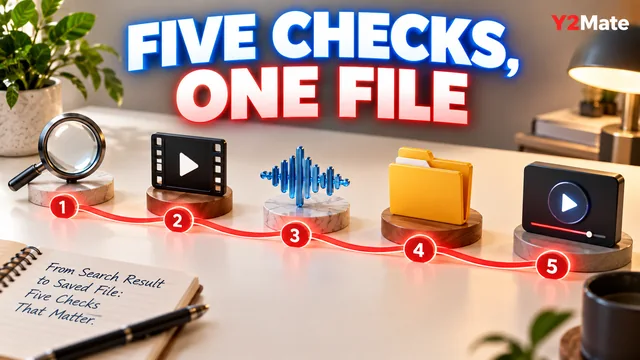
- I can find the actual media file in storage.
- The file is the intended version and format.
- The browser transfer completed.
- My intended player opens it with the expected output device.
- The beginning, middle and ending contain the expected media.
- I have checked whether playback depends on fetching the contents again.
- I know where the original or important project copy is retained.
This card is a practical check, not a guarantee about every future device or trip. Batteries, storage and applications can still change. Its value is that you have tested the exact copy and playback path you plan to rely on.
Once that copy works, keep a recognizable filename and avoid replacing it casually with an untested version. One verified recording is more useful than several similar downloads whose location, completeness and playback requirements are uncertain.